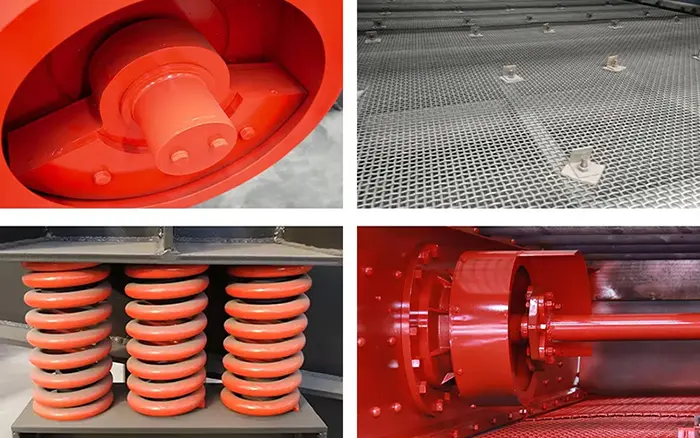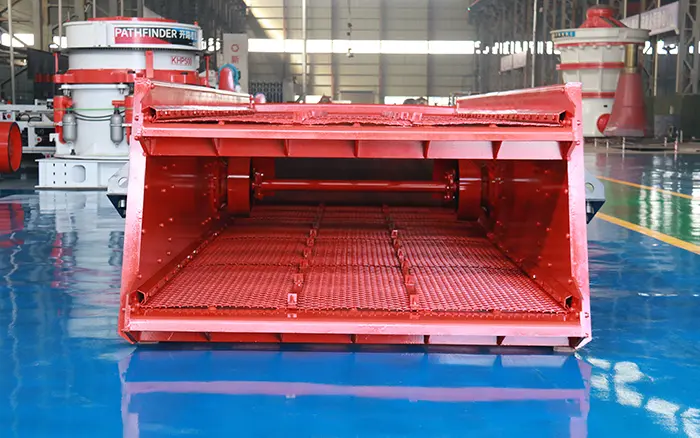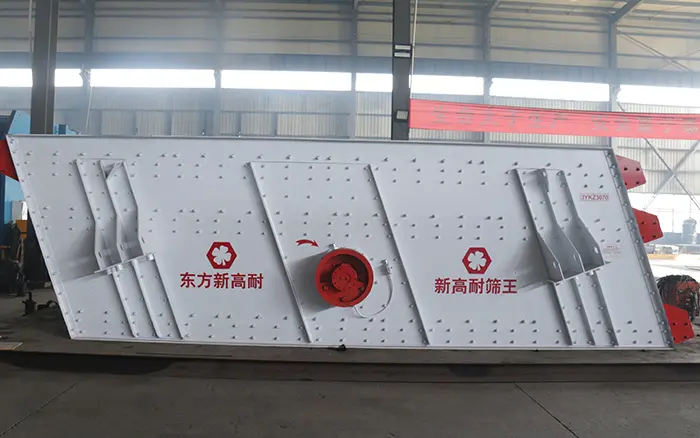
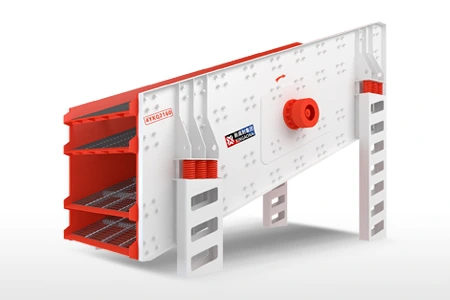
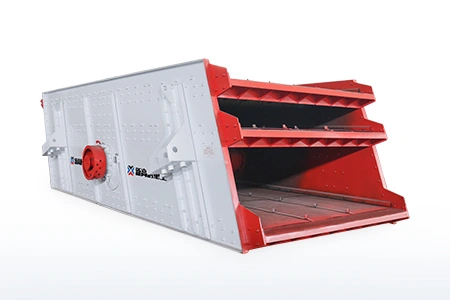
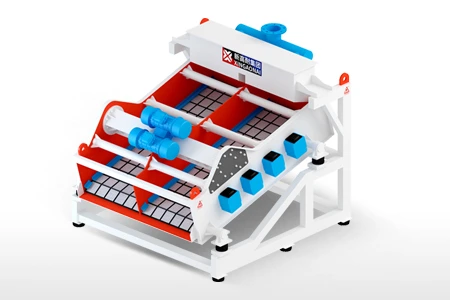
A vibrating screen rarely fails without warning. Changes in sound, bearing temperature, screen-box motion, material distribution or product gradation often appear before a complete shutdown.
The difficulty is that one symptom may have several possible causes. Low throughput, for example, may result from excessive feed, blocked apertures, unsuitable material conditions, reduced vibration, drive problems or uneven loading. Replacing the first visible component may temporarily hide the symptom without correcting the underlying fault.
Effective vibrating screen troubleshooting therefore follows a structured process:
Identify the exact symptom.
Compare it with the machine’s previous operating condition.
Separate process-related causes from mechanical and electrical causes.
Inspect the simplest and safest possibilities first.
Confirm the root cause before adjusting or replacing components.
Record the findings and verify the result after corrective work.
This guide focuses specifically on fault diagnosis. For routine inspection intervals and scheduled servicing, refer to the vibrating screen maintenance guide.
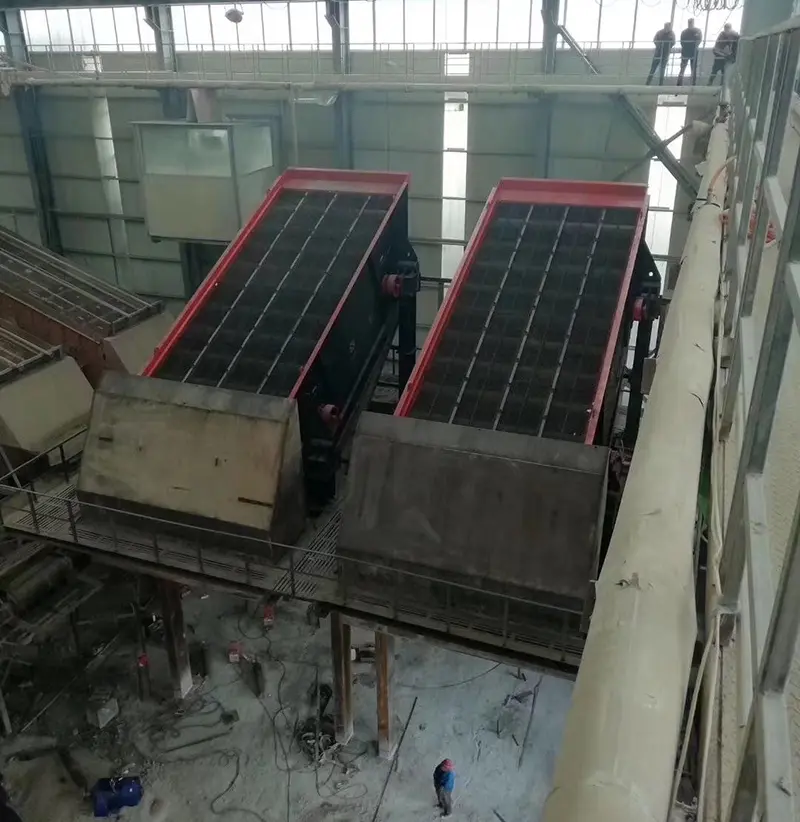
Safety Before Troubleshooting a Vibrating Screen
Troubleshooting must not expose personnel to moving equipment, stored spring energy, suspended components, hot surfaces or electrical hazards.
Before opening guards, touching the screen box or beginning repair work:
Stop the feed and allow material to clear where operating procedures permit.
Shut down the vibrating screen.
Isolate and secure all electrical, mechanical, hydraulic and pneumatic energy sources under the site’s approved lockout procedure.
Prevent upstream equipment from automatically feeding or starting.
Allow hot bearings and housings to cool before contact inspection.
Support lifted components with correctly rated equipment.
Use qualified electrical personnel for motor, cable and control-system tests.
Follow the machine manual for eccentric-weight, exciter and drive adjustments.
Some observations—such as sound, motion and material distribution—may need to be made while the machine is operating. These observations should be made only from an approved safe position, without removing guards or entering restricted areas.
Stop the machine promptly if any of the following is detected:
A new metallic knocking or grinding sound;
Visible screen-box contact with stationary structures;
A cracked side plate, cross member or support;
A broken or displaced spring;
Smoke, burning smell or electrical arcing;
Rapidly increasing bearing or exciter temperature;
Severe uncontrolled movement;
Loose rotating components;
Material or components being thrown from the machine.
Start with the Symptom, Not the Assumed Cause
Before dismantling the screen, document what has changed.
Record:
When the problem began;
Whether it appeared suddenly or gradually;
Whether it occurs empty, loaded or in both conditions;
Feed rate and material type;
Feed moisture and percentage of near-size particles;
Product-size changes;
Motor current on each drive;
Bearing and exciter housing temperatures;
Vibration readings at comparable points;
Recent maintenance or component replacement;
Changes to screen media, aperture, counterweights or drive settings;
Photographs and video taken from an approved safe position.
A fault that started immediately after screen-media replacement should be investigated differently from a fault that developed gradually over several months.
Quick Vibrating Screen Troubleshooting Table
| Operating symptom | Possible causes | First areas to check |
|---|---|---|
| Screen does not start | Electrical fault, overload, material jam, drive obstruction | Power supply, protection devices, motor condition, drive and material buildup |
| Motor trips under load | Excessive feed, seized bearing, drive resistance, voltage problem | Feed condition, motor current, bearings, belts or coupling |
| Bearing housing overheats | Lubrication problem, contamination, misalignment, overload, bearing damage | Lubricant condition, temperature trend, seals, alignment and operating load |
| Metallic knocking occurs | Loose media, fasteners, spring or component contact | Screen panels, clamps, bolts, springs, clearances and structure |
| Vibration becomes weak | Drive slip, incorrect excitation, buildup, exciter fault | Belts, coupling, motor current, counterweight settings and material buildup |
| Vibration is excessive | Incorrect excitation, spring problem, loose support, resonance | Settings, springs, fasteners, support structure and operating speed |
| Screen moves unevenly | Uneven feed, unequal springs, buildup, synchronization problem | Feed distribution, spring condition and motion on both sides |
| Material moves to one side | Uneven loading, deck level problem, unequal motion | Feed chute, deck level, buildup, springs and excitation |
| Throughput falls | Overloading, deep material bed, blocked media, weak motion | Feed rate, bed depth, media condition and vibration |
| Separation becomes inaccurate | Damaged media, bypass, wrong aperture, poor stratification | Panels, seals, deck edges, feed distribution and product samples |
| Apertures become blocked | Moisture, clay, near-size particles, unsuitable media | Feed condition, opening shape, media type and effective open area |
| Screen media fails repeatedly | Poor tension, damaged support, impact, unsuitable media | Tensioning system, support bars, feed point and panel specification |
| Structural cracks develop | Abnormal vibration, loose joints, fatigue, impact or poor repair | Motion, fasteners, spring loads, feed impact and crack location |
This table narrows the investigation but does not replace model-specific inspection procedures.
1. Vibrating Screen Does Not Start or Stops Under Load
A screen that does not start may have an electrical problem, a mechanically restricted drive or excessive material loading.
Possible causes
Loss of one power phase;
Incorrect voltage or unstable power supply;
Motor protection device activated;
Loose or damaged electrical connection;
Motor winding or bearing problem;
Seized exciter or drive component;
Damaged belt, coupling or cardan shaft;
Material packed around moving parts;
Excessive material remaining on the deck;
Incorrect protection or control settings.
Diagnostic approach
First determine whether the problem is electrical or mechanical.
A qualified electrician should check the supply, protection devices, wiring and motor condition. With the machine isolated, mechanical personnel can check whether the drive is obstructed, whether bearings rotate as intended and whether material buildup restricts screen-box movement.
If a two-motor linear screen uses synchronized counter-rotating drives, confirm that both motors are operating in the correct direction. Do not continue running the screen with only one drive operating unless the equipment manufacturer explicitly permits it.
After the cause has been corrected, follow the approved restart procedure. Observe the machine under controlled conditions before restoring full feed.
2. Abnormal Noise, Knocking or Grinding
A new sound is often one of the earliest indicators of looseness, contact or bearing damage.
Possible causes
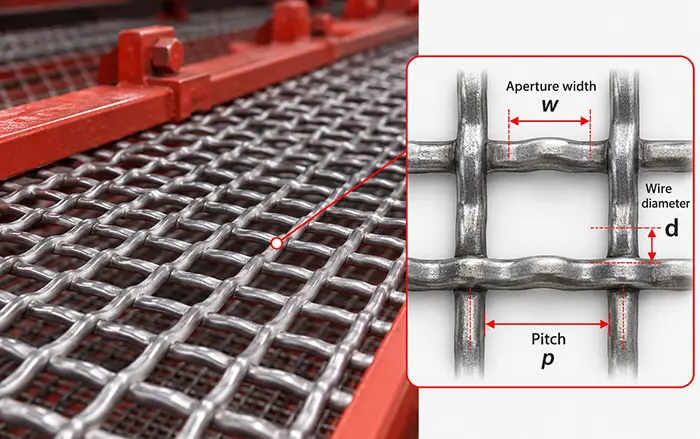
Loose screen panels or wire mesh;
Worn tension rails or clamps;
Loose exciter, motor or bearing-housing fasteners;
Broken or displaced spring;
Screen box contacting a chute, guard or supporting structure;
Worn bearing or damaged gear;
Loose pulley, coupling or drive guard;
Material trapped between moving and stationary components;
Cracked cross member or side-plate connection.
Diagnostic approach
Identify when the sound occurs:
During startup only;
During shutdown only;
Continuously at operating speed;
Only under material load;
Once per rotation;
Or irregularly as material enters the screen.
A rhythmic sound associated with rotation suggests a different source from random impact noise caused by loose media or material buildup.
Do not attempt to locate the noise by touching the operating machine or removing guards. Stop and isolate the screen before checking fasteners, panel movement, structural clearances and drive components.
Repeatedly tightening the same bolt is not a complete solution. Check the joint surfaces, bolt condition, hole wear and the vibration or loading that caused the connection to loosen.
3. Bearing or Exciter Housing Overheating
Bearing temperature should be evaluated as a trend rather than from one isolated reading. The normal operating range depends on bearing design, lubricant, speed, load, ambient temperature and measurement location.
Possible causes
Too little lubricant;
Excessive lubricant;
Incorrect lubricant type or incompatible grease mixing;
Contaminated or deteriorated lubricant;
Damaged seal or blocked breather;
Incorrect bearing clearance;
Shaft or housing misalignment;
Belt tension or coupling load outside the required condition;
Excessive screen loading;
Bearing damage;
Exciter gear or internal component damage.
Diagnostic approach
Record temperatures at the same location and under comparable operating conditions. Compare the left and right sides where the design provides corresponding bearings.
Also record:
Time from startup to temperature increase;
Motor current;
Lubrication date and lubricant identification;
Recent bearing or seal replacement;
Noise and vibration changes;
Leakage around the housing;
Feed rate during the event.
A bearing that overheats immediately after lubrication may be overfilled, supplied with an unsuitable lubricant or affected by contamination introduced during servicing. Adding more grease without diagnosis can make the problem worse.
If temperature continues rising rapidly or is accompanied by noise, smoke, leakage or unstable motion, stop the machine and follow the manufacturer’s inspection procedure.
4. Weak, Excessive or Uneven Vibration
A change in screen motion can affect material transport, stratification, structural loading and component life.
Understanding the intended motion described in the vibrating screen working principle helps distinguish a genuine motion problem from normal operation.
Possible causes of weak vibration
Slipping or damaged drive belts;
Coupling deterioration;
Reduced motor speed or electrical problem;
Incorrect eccentric-weight setting;
Material buildup on the screen box;
Exciter wear or damage;
Loose drive connection;
Excessive material load.
Possible causes of excessive vibration
Incorrect eccentric-weight setting;
Damaged or unsuitable springs;
Loose anchor or support connection;
Operation near a structural resonance condition;
Incorrect operating speed;
Material being discharged unevenly;
Major component replacement that changed the vibrating mass.
Possible causes of uneven vibration
Unequal feed distribution;
Buildup concentrated on one side;
Springs with different heights or stiffness;
One drive operating differently from the other;
Exciter synchronization problem;
Loose structural connection;
Screen box distortion.
Diagnostic approach
Compare screen movement at consistent locations such as:
Feed-end left;
Feed-end right;
Discharge-end left;
Discharge-end right.
Record readings under the same operating condition. Comparing one loaded measurement with another taken while empty may produce a misleading conclusion.
Do not copy amplitude, frequency or counterweight settings from another screen. Machine mass, spring characteristics, operating speed and deck arrangement may differ even when the screens appear similar.
5. Material Moves to One Side of the Screen
Material concentrated on one side reduces effective screening area and creates localized wear.
Possible causes
Feed chute directs material off-center;
Feed stream is too narrow;
Screen support is not level where the design requires level installation;
Material buildup changes the vibrating mass;
Unequal spring condition;
Different motion between the two sides;
Damaged feed box or distribution plate;
Uneven spray-water distribution in wet screening;
Screen media is installed unevenly.
Diagnostic approach
Inspect the feed before changing the vibration system. If the material enters only one section of the deck, adjusting the exciter will not correct the actual cause.
Check whether the problem begins at the feed end or develops farther along the deck. A problem visible immediately at the feed point often indicates feed-distribution issues. Sideways movement that develops after the material travels along the deck may indicate unequal motion, deck condition or localized buildup.
Correct the feed path, remove buildup and compare the supporting components on both sides before changing excitation settings.
6. Low Throughput or Poor Separation
Low throughput and poor separation are related but not identical.
A screen may process sufficient tonnage while producing inaccurate size fractions. Conversely, separation may remain acceptable while total capacity declines.
Possible causes
Feed rate exceeds available screening area;
Material bed is too deep;
Feed contains a high percentage of near-size particles;
Moisture or clay reduces material flow;
Apertures are blinded or pegged;
Screen media has insufficient open area;
Vibration has weakened;
Material travels too quickly or too slowly;
Feed is concentrated on part of the deck;
Lower decks in a multi-deck screen are overloaded;
Screen media is worn, torn or incorrectly installed.
Diagnostic approach
Use product samples to identify whether the main problem is:
Low capacity;
Excess fines in the oversize stream;
Oversize contamination in the undersize stream;
Or inconsistent product size.
For calculation methods and process variables, refer to vibrating screen efficiency.
If the problem began after changing the screen opening, compare the installed media with the vibrating screen aperture size guide.
Avoid increasing amplitude as the first response to every capacity problem. Higher excitation can increase structural load, accelerate media wear and shorten material residence time without correcting excessive feed or blocked openings.
7. Screen Blinding and Pegging
Blinding occurs when fine, wet or sticky material covers or blocks the openings. Pegging occurs when near-size particles become lodged inside individual apertures.
Possible causes
High feed moisture;
Clay or sticky contamination;
Large percentage of near-size particles;
Elongated or irregular particle shape;
Aperture shape unsuitable for the material;
Insufficient open area;
Damaged or poorly tensioned media;
Material bed too deep;
Uneven distribution;
Inadequate motion at the screen surface.
Diagnostic approach
Determine whether the openings are covered by adhered material or mechanically blocked by individual particles. The corrective strategy is different.
Possible measures may include:
Stabilizing the feed condition;
Improving feed distribution;
Reducing excessive bed depth;
Evaluating flexible or self-cleaning media;
Reviewing aperture shape and open area;
Inspecting media tension and support;
Evaluating wet screening where process requirements permit.
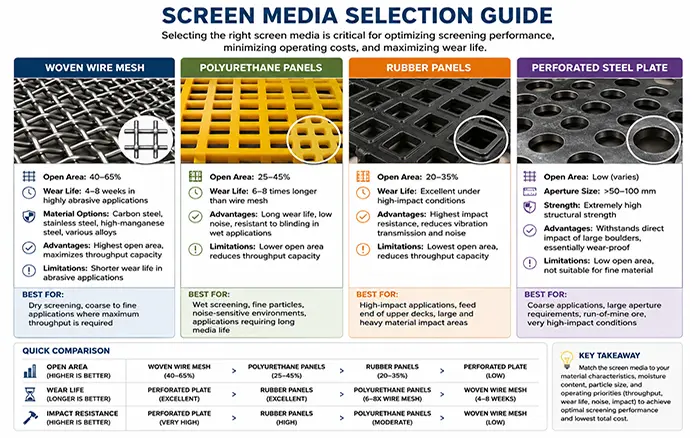
Media selection should be based on actual material conditions. The vibrating screen deck and media selection guide compares woven wire, polyurethane, rubber and other arrangements.
8. Oversize Material Appears in the Undersize Product
Oversize contamination usually indicates an uncontrolled passage route rather than insufficient screening efficiency.
Possible causes
Torn screen mesh;
Cracked or missing panel;
Excessively worn aperture;
Loose panel or tensioned wire;
Damaged hook, clamp or pressure plate;
Gap between the media and screen frame;
Material bypassing the deck at an edge;
Damaged discharge lip or collection chute;
Product streams mixing below the screen;
Incorrect media installed during replacement.
Diagnostic approach
Inspect the entire screening surface, not only the area where the contamination was first noticed.
Check:
Feed-impact zone;
Panel joints;
Deck edges;
Fastening points;
Support bars;
Discharge end;
Chutes beneath the screen;
Connections between individual product conveyors.
A small opening at the side of a panel can contaminate a large quantity of finished product. Repairing the visible screen surface will not solve the problem if separated material is mixing again in the discharge chutes.
9. Screen Media Fails Repeatedly
Repeated media failure is often blamed on material abrasion, but installation and support problems can be equally important.
Possible causes
Insufficient or uneven media tension;
Damaged support bars;
Missing protective rubber profiles;
Loose clamps or pressure plates;
Concentrated feed impact;
Feed size larger than the media can withstand;
Incorrect media material or thickness;
Screen box or deck distortion;
Abnormal vibration;
Worn fastening components;
Incorrect panel dimensions.
Diagnostic approach
Record the exact failure location. Media that repeatedly fails at the same point usually indicates a local condition such as impact, unsupported movement, sharp contact or structural distortion.
Do not replace only the torn media without checking:
The corresponding support underneath;
Fastening condition;
Feed trajectory;
Wear pattern;
Deck alignment;
Motion at that location.
For component identification and replacement information, consult the vibrating screen parts guide.
10. Springs, Screen Box or Structural Components Are Damaged
Structural damage should be treated as a symptom of a loading or motion problem, not simply as a welding task.
Possible causes
Loose structural connections;
Unequal spring stiffness or height;
Broken or displaced spring;
Abnormal vibration;
Persistent overloading;
Concentrated feed impact;
Screen box contacting a stationary component;
Fatigue around holes, corners or welded areas;
Previous repair that changed local stiffness;
Support structure movement or resonance.
Diagnostic approach
If a crack is found, record:
Exact location and direction;
Whether it is growing;
Nearby bolt or weld condition;
Spring condition at the corresponding position;
Feed-impact location;
Motion differences between the two sides;
Previous repair history.
Do not continue operating a screen with an unresolved structural crack. Welding the crack without correcting loose connections, unequal motion, impact or fatigue loading may result in another failure close to the repaired area.
Structural repairs should follow an approved engineering procedure that considers material, joint design, distortion control and the dynamic loading of the machine.
Machine Type Changes the Diagnostic Method
Not every vibrating screen uses the same excitation system.
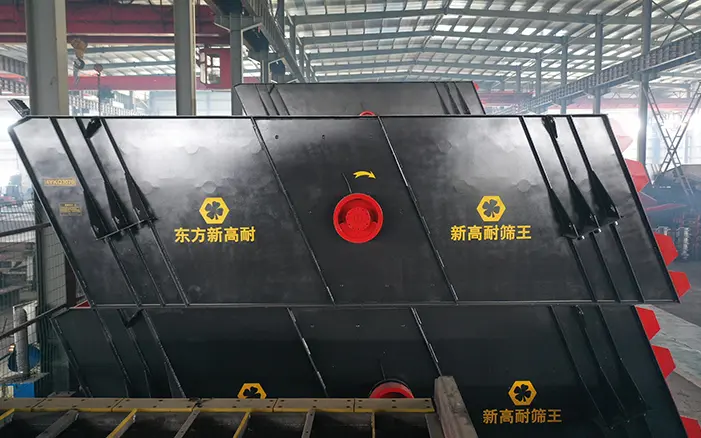
The XINGAONAI Circular Vibrating Screen uses a circular-motion arrangement and should be evaluated according to its eccentric-shaft, drive and inclined-screen configuration.
The Linear Vibrating Screen uses synchronized excitation to generate directional movement. Unequal drive behavior can therefore affect material travel and motion symmetry.
The High Frequency Electromagnetic Vibrating Screen uses a different high-frequency electromagnetic excitation system. Conventional belt-drive or eccentric-shaft troubleshooting assumptions should not automatically be applied to it.
Always identify the machine model and excitation arrangement before adjusting or ordering components.
Information to Record Before Requesting Technical Support
Prepare the following information before contacting the equipment manufacturer or parts supplier:
Machine manufacturer and model;
Serial number and installation date;
Screen type and number of decks;
Exciter or motor identification;
Installed screen-media specification;
Aperture size and media material;
Feed material and maximum feed size;
Feed rate and moisture condition;
Description of the symptom;
When the symptom started;
Whether it occurs empty, loaded or both;
Motor current and voltage readings;
Bearing and housing temperature records;
Vibration measurements at corresponding points;
Maintenance and lubricant records;
Recent component or setting changes;
Photographs, video and available drawings.
Clear operating data allows the fault to be evaluated more accurately than a general statement such as “the screen vibrates too much.”
Verifying the Repair
After corrective work:
Confirm that all tools, lifting equipment and temporary supports have been removed.
Reinstall guards and protective devices.
Check clearances around the moving screen box.
Confirm fasteners and replacement components against the approved procedure.
Follow the site’s controlled restart process.
Observe startup and shutdown behavior from a safe position.
Compare motor current, temperature, sound and motion with the recorded baseline.
Introduce material gradually where operating procedures permit.
Check feed distribution and product quality.
Record the result and schedule a follow-up inspection.
A repair is not confirmed merely because the machine starts. The original symptom must be shown to have disappeared without introducing a new vibration, temperature or product-quality problem.
How to Reduce Repeated Vibrating Screen Problems
Troubleshooting addresses existing faults. Preventive maintenance reduces the probability that they return.
Focus on:
Stable and evenly distributed feed;
Correct screen-media installation;
Consistent lubrication practices;
Fastener and structural-condition monitoring;
Temperature and vibration trending;
Clean operating clearances;
Accurate maintenance records;
Correct model-specific replacement parts.
Detailed inspection frequencies and maintenance tasks belong in the vibrating screen maintenance guide, rather than being duplicated in this troubleshooting article.
Conclusion
Reliable vibrating screen troubleshooting begins with accurate symptom identification and operating data. Bearing overheating, abnormal noise, uneven movement, low throughput, blinding and repeated media failure can each have several possible causes.
Avoid making several adjustments at the same time. Check feed conditions, media, fasteners, drive components, springs and structure systematically, then verify the result under controlled operating conditions.
When requesting support from XINGAONAI, provide the machine model, operating data, inspection records, photographs and available drawings. This information helps determine whether the problem is related to process conditions, component condition, installation or machine configuration.